Lyra Video Editor

Collaboration, Workspaces & Comments

Run team video production with workspace roles, project permissions, live presence, layer locks, comments, and invitations.

The product includes collaborative workspace infrastructure: owner/admin/member roles, project-level view/edit/render permissions, team invitations, comments, archived threads, unread counts, notifications, and live editor presence.

Owner/admin/member roles Project-level can-view and can-edit permissions Access revocation monitoring Comment notifications Workspace switching
Ask about this feature All features

Feature details

What is included.

WebSocket editor rooms monitor access every second, broadcast presence, lock selected layers, reject stale project revisions, and persist timeline updates only when users have edit access.

Comment APIs and UI support active and archived threads, replies, goto-comment actions, unread states, assignment hints, and real-time comment update broadcasts.

  • Workspace users, roles, invitations, and permissions
  • Live editor presence and selected-layer locks
  • Timeline comments, replies, archive, unread, and goto-comment workflows
  • Project revision checks and stale-update rejection

Included capabilities

Owner/admin/member roles Project-level can-view and can-edit permissions Access revocation monitoring Comment notifications Workspace switching
Product page Pricing table

Ask about Collaboration, Workspaces & Comments

Tell us how this feature should work for your team, product package, or white-label customer.

Detailed feature breakdown

How Collaboration, Workspaces & Comments works inside Lyra Video Editor.

This section explains the actual workflow, controls, and buyer value behind this feature.

Workspace roles and project access

The collaboration model supports owner, admin, and member style access with workspace switching, invitations, and project-level permissions. Teams can separate who can view, edit, or render work instead of sharing a single login.

  • Workspace invitations bring teammates into the production workflow.
  • Project permissions can separate viewing from editing.
  • Workspace switching supports agencies and multi-client operators.

Live editor safety for shared projects

The editor collaboration layer supports live presence, selected-layer locks, access monitoring, stale revision rejection, server autosave, local drafts, and recovery behavior. This helps protect team projects when multiple users edit the same campaign.

  • Presence shows who is in the editor.
  • Layer locks reduce accidental overwrites during live editing.
  • Revision checks help prevent stale saves from replacing newer work.

Comment workflows tied to the timeline

Comments are built for video production review. Users can add comments at a timeline context, reply, archive, track unread state, use goto-comment actions, and receive update broadcasts.

  • Timeline comments make review feedback easier to locate.
  • Replies and archive states keep discussion organized.
  • Unread and notification behavior helps teams follow review changes.

Screenshots

Collaboration, Workspaces & Comments in the actual product.

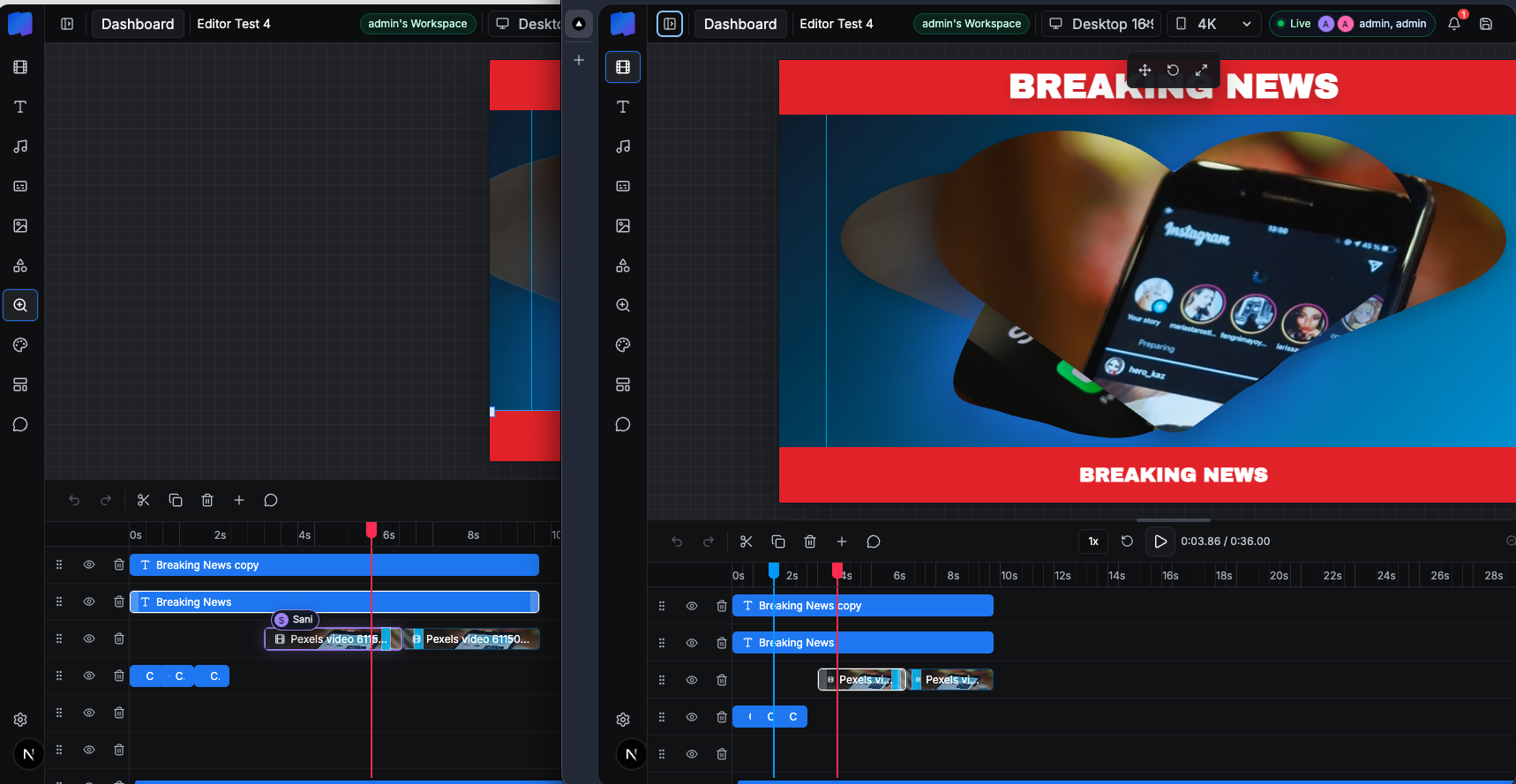
Collaborative editor view with workspace members and shared project timeline.
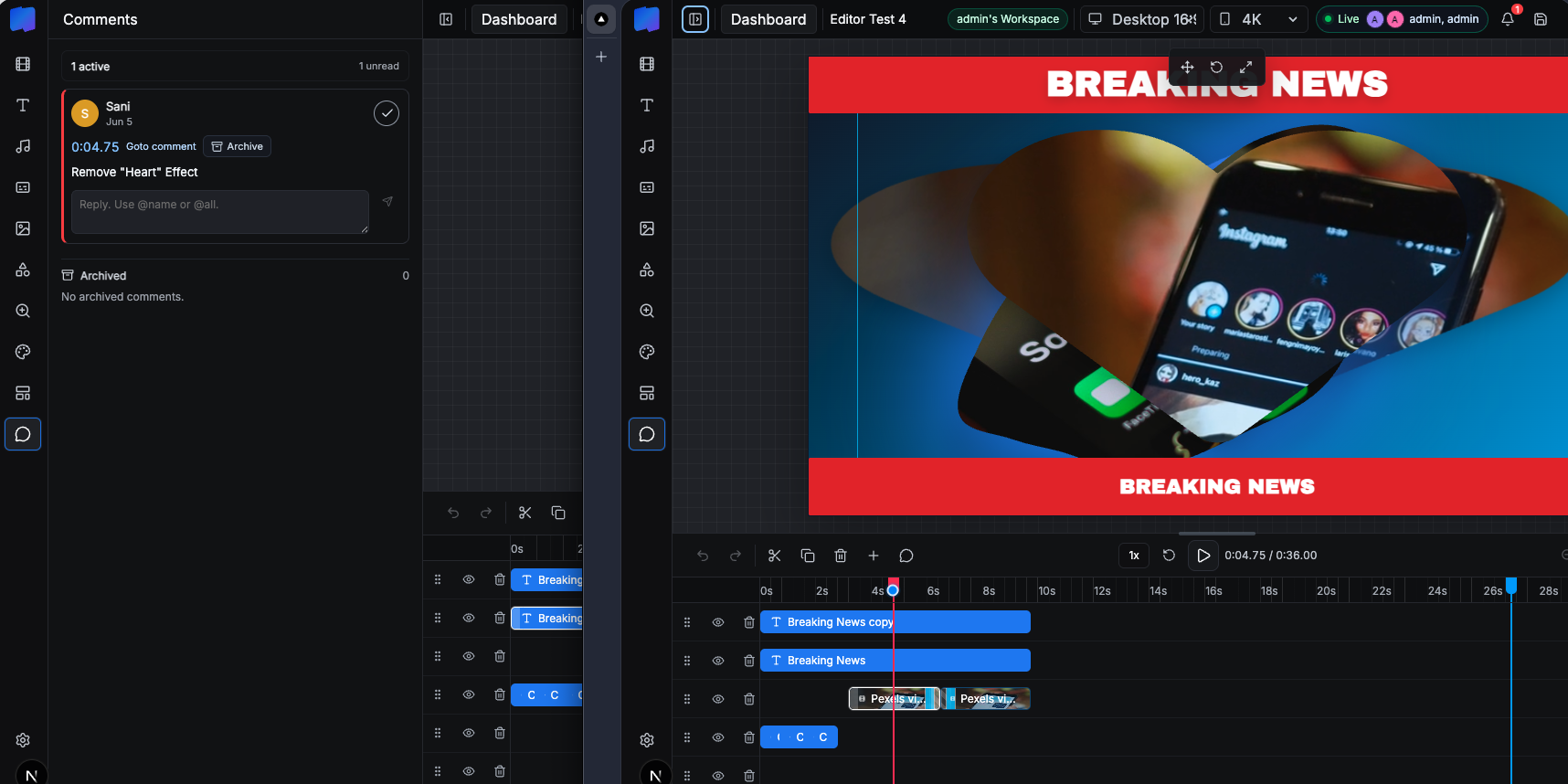
Comments panel with active thread, goto comment, archive, reply, and unread state.
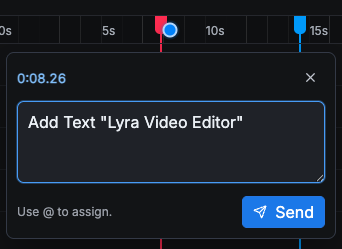
New comment composer with timestamp context and assignment hint.
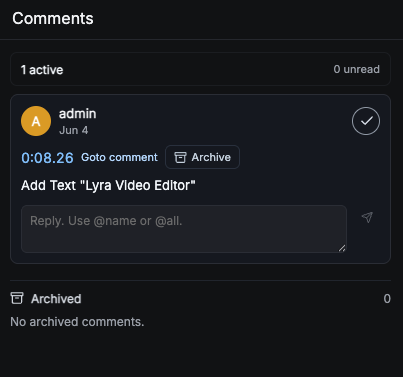
Comment tooling inside the editor panel.

More Lyra Video Editor features

Related feature pages.

Multi-Track Editor & Templates

The core editor includes a template sidebar, canvas workspace, preview playback, layer rows, timeline zoom, track visibility, undo/redo, save controls, duplicate/delete actions, aspect controls, resolution controls, and live workspace status.

Open feature

Media Library, Stock Search & AI Assets

Creators can search Pexels, upload local assets, generate AI visuals, and add image, video, and audio items directly to the timeline without leaving the editor.

Open feature

Captions, Audio & AI Voice

Lyra Video Editor supports caption layers, SRT upload, generated caption words, text-to-speech, uploaded audio, volume controls, mute, fade-in, and fade-out controls for timeline audio and video.

Open feature

Motion, Effects, Shapes & Masking

The editor includes deep visual controls for motion and styling: 121 GL transitions, 13 entry/exit animation options, nine 3D layouts, 1,151 SVG shapes, 82 mask SVGs, solid and gradient backgrounds, filter presets, shadow stacks, glow controls, and zoom target items.

Open feature

Rendering & Export Controls

Lyra Video Editor uses Remotion for video output, exposes export settings for aspect and resolution, shows render progress, and supports package-aware limits for maximum duration and allowed resolutions.

Open feature

API Keys, Super Admin & Package Control

Lyra Video Editor supports both super-admin-managed provider keys and user-owned keys, plus workspace packages, package limits, SMTP settings, notifications, impersonation, user administration, reset password flows, and package-aware editor limits.

Open feature