Lyra Video Editor

Motion, Effects, Shapes & Masking

Design polished motion with GL transitions, 3D effects, animations, filters, shadows, glow, shapes, masks, and zoom items.

The editor includes deep visual controls for motion and styling: 121 GL transitions, 13 entry/exit animation options, nine 3D layouts, 1,151 SVG shapes, 82 mask SVGs, solid and gradient backgrounds, filter presets, shadow stacks, glow controls, and zoom target items.

Cover, contain, and stretch transition resize modes Ease-in, ease-out, linear, and ease-in-out timing Mask SVG search and direct mask rendering Shadow/glow stack editing Zoom item targeting grid
Ask about this feature All features

Feature details

What is included.

GL transitions are sourced from the gl-transitions package, normalized for supported parameter types, resize modes, easing, timing, and touch-based media transitions.

Visual effect code supports crop aspect presets, continuous zoom/shake transforms, entry/exit animations, 3D card/fold/tilt layouts, mask styles, shadow parsing, glow layers, and Remotion-safe output styling.

  • 121 GL transitions with resize, duration, easing, and parameter controls
  • Entry/exit animations and 3D layout effects
  • 1,151 shapes and 82 masks
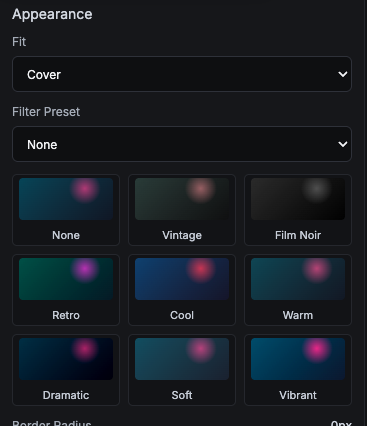
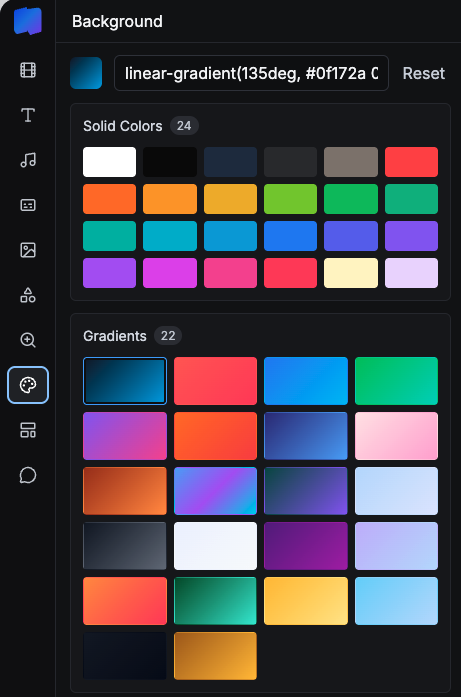
  • Filter presets, backgrounds, glow, shadow, crop, and zoom controls

Included capabilities

Cover, contain, and stretch transition resize modes Ease-in, ease-out, linear, and ease-in-out timing Mask SVG search and direct mask rendering Shadow/glow stack editing Zoom item targeting grid
Product page Pricing table

Ask about Motion, Effects, Shapes & Masking

Tell us how this feature should work for your team, product package, or white-label customer.

Detailed feature breakdown

How Motion, Effects, Shapes & Masking works inside Lyra Video Editor.

This section explains the actual workflow, controls, and buyer value behind this feature.

Transition and animation system

The editor includes a broad motion toolkit with GL transitions, resize modes, easing, timing controls, entry animations, exit animations, and continuous zoom or motion effects. This turns static layouts into polished social video scenes.

  • Transition controls include duration, easing, resize mode, and parameters.
  • Entry and exit animations can be applied to timeline layers.
  • Zoom items can target specific regions of the canvas.

Visual styling for every layer type

Video, image, text, and shape layers can use styling controls such as filters, crop, transform, opacity, background, 3D layout, shadow, and glow. This gives creators the same design depth normally expected from desktop creative software.

  • Filters and crop controls help normalize mixed media assets.
  • Shadow and glow stacks create depth without external design tools.
  • 3D layout effects support card, tilt, fold, and perspective styles.

Shape and mask libraries

The product includes large shape and mask libraries so teams can create badges, cutouts, overlays, frames, and branded motion treatments. Masks can be used on visual layers while shapes can be placed as their own editable timeline items.

  • Shape assets support icons, badges, overlays, and composition elements.
  • Mask assets help create cutout and reveal treatments for images or videos.
  • Searchable libraries keep advanced styling usable for non-designers.

Screenshots

Motion, Effects, Shapes & Masking in the actual product.

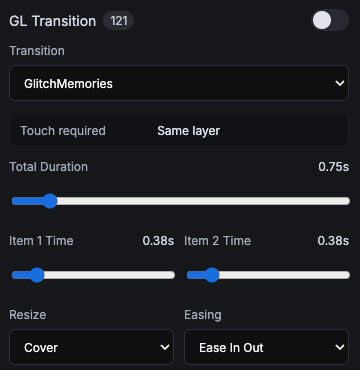
GL transition controls with transition name, duration, item timing, resize, and easing.
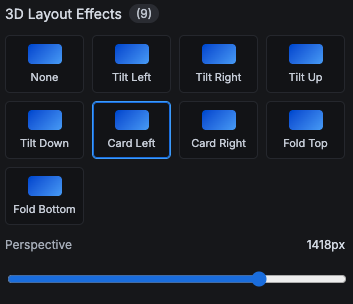
3D layout effects such as tilt, card, and fold with perspective control.
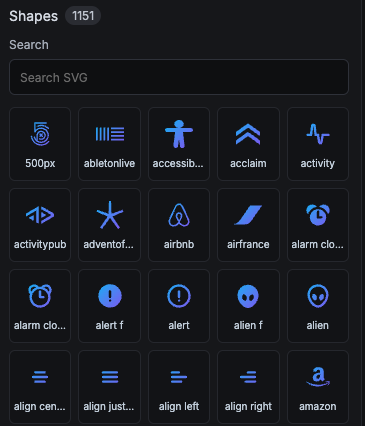
Shape library with 1,151 SVG assets.
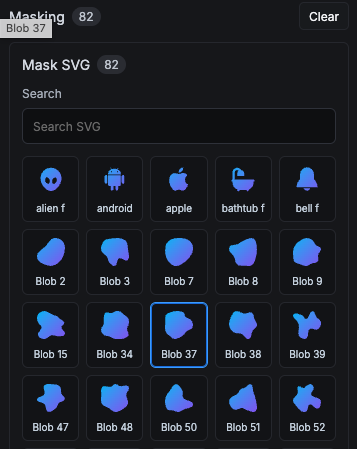
Masking panel with 82 SVG masks.
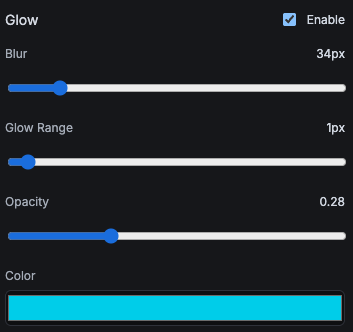
Glow controls for blur, range, opacity, and color.
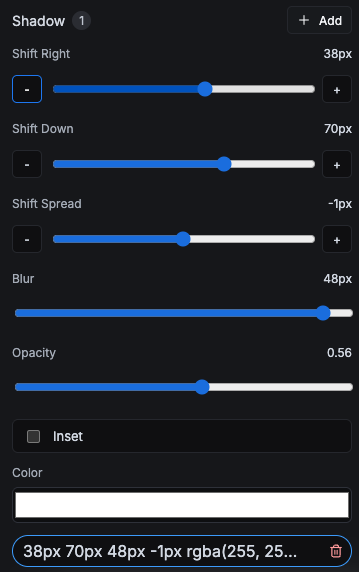
Shadow stack controls for offset, spread, blur, opacity, inset, and color.
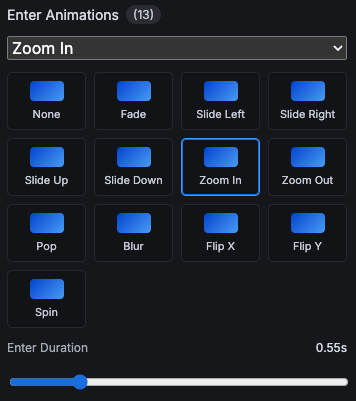
Entry animation presets with duration controls.
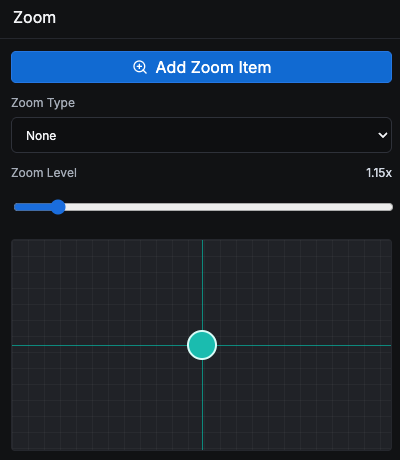
Zoom item controls with zoom type, level, and target grid.
Appearance panel with fit mode and filter presets.
Background panel with solid colors and gradient swatches.

More Lyra Video Editor features

Related feature pages.

Multi-Track Editor & Templates

The core editor includes a template sidebar, canvas workspace, preview playback, layer rows, timeline zoom, track visibility, undo/redo, save controls, duplicate/delete actions, aspect controls, resolution controls, and live workspace status.

Open feature

Media Library, Stock Search & AI Assets

Creators can search Pexels, upload local assets, generate AI visuals, and add image, video, and audio items directly to the timeline without leaving the editor.

Open feature

Captions, Audio & AI Voice

Lyra Video Editor supports caption layers, SRT upload, generated caption words, text-to-speech, uploaded audio, volume controls, mute, fade-in, and fade-out controls for timeline audio and video.

Open feature

Rendering & Export Controls

Lyra Video Editor uses Remotion for video output, exposes export settings for aspect and resolution, shows render progress, and supports package-aware limits for maximum duration and allowed resolutions.

Open feature

Collaboration, Workspaces & Comments

The product includes collaborative workspace infrastructure: owner/admin/member roles, project-level view/edit/render permissions, team invitations, comments, archived threads, unread counts, notifications, and live editor presence.

Open feature

API Keys, Super Admin & Package Control

Lyra Video Editor supports both super-admin-managed provider keys and user-owned keys, plus workspace packages, package limits, SMTP settings, notifications, impersonation, user administration, reset password flows, and package-aware editor limits.

Open feature